



































How to Choose the Perfect Rental LED Display Size for Your Event Venue: A Step-by-Step Guid
When it comes to creating a visually compelling event, the LED display is often the centerpiece of your production. Whether you're organizing a corporate conference, concert, product launch, or outdoor festival, selecting the right rental LED display size is crucial.
Too small, and your audience might miss key visuals. Too large, and you risk overspending or overwhelming the space. In this guide, we walk you through the essential steps to help you choose the perfect LED display size for your venue — ensuring visibility, clarity, and budget efficiency every step of the way.
Why Getting the LED Display Size Right Matters
Choosing the correct screen size directly affects:
✅ Audience engagement
✅ Content readability
✅ Space utilization
✅ Budget allocation
A well-matched LED display enhances the visual storytelling of your event without causing distractions or technical challenges.
5 Key Factors in Choosing the Right LED Display Size
Before diving into measurements, consider these five critical elements that influence your display choice:
1. Venue Dimensions and Layout
Start with a detailed assessment of your event location:
Measure stage area and ceiling height
Identify columns, exits, lighting trusses, or other obstructions
Map out seating arrangements to understand sightlines
Having an accurate layout helps you avoid blind spots and ensures everyone has a clear view.
2. Audience Viewing Distance
This is one of the most important factors in determining screen size and pixel pitch (the distance between LEDs).
Use this simple formula:
Minimum Viewing Distance = Pixel Pitch (mm) × 1000
Common setups include:
Indoor conferences: P2.5–P3.9
Concert stages: P4–P6
Stadium or large venues: P6–P10
If your audience is seated far from the stage, a larger screen with a higher pixel pitch may be necessary for legibility.
3. Content Resolution Requirements
Your content type determines how sharp your screen needs to be:
| Content Type | Recommended Pixel Pitch |
|---|---|
| 4K Video | ≤ P2.5 |
| Live Presentations | P3–P4 |
| Large Format Graphics | P6–P8 |
High-resolution content like live video calls for finer pixel spacing, while simpler graphics can tolerate coarser resolution.
4. Technical Specifications
Don’t overlook technical performance factors:
Brightness (nits): 800–6,000 depending on environment
Refresh Rate: ≥ 1920Hz for smooth motion
Contrast Ratio: Minimum 5000:1
IP Rating: IP65 recommended for outdoor use
These specs ensure your display performs well under different lighting conditions and delivers crisp visuals.
5. Installation Flexibility
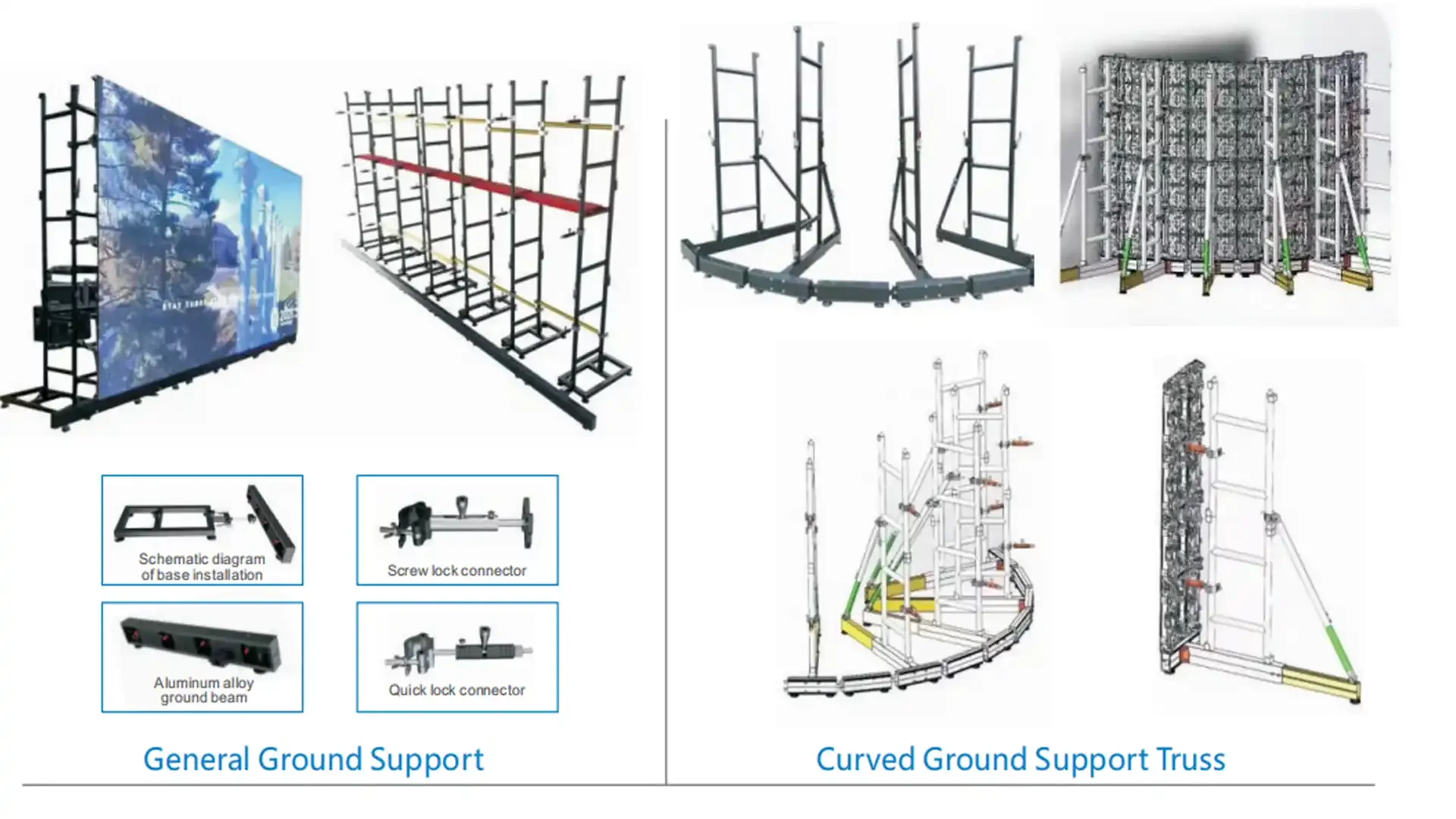
Modern LED displays offer various mounting options:
Curved configurations for immersive experiences
Hanging systems for overhead installations
Mobile rigging for flexible positioning
Rapid-assembly designs for quick setup
Consider how easily the display integrates into your venue’s structure and what kind of support system you’ll need.
Step-by-Step Process for Selecting Your LED Display
Follow this practical process to make an informed decision:
Measure the Venue: Include stage dimensions, ceiling height, and audience layout.
Calculate Viewing Distances: Use the pixel pitch formula to determine minimum required screen size.
Determine Content Needs: Match your content type with the appropriate resolution.
Choose the Right Pixel Pitch: Based on viewing distance and content type.
Verify Technical Specs: Ensure brightness, refresh rate, and durability meet your event’s demands.
Plan Installation Logistics: Consider power requirements, signal transmission, and structural support.
Common Sizing Mistakes to Avoid
Avoid these common pitfalls when choosing your LED display:
❌ Underestimating side and back viewing angles
❌ Ignoring ambient light levels during planning
❌ Overlooking content aspect ratio compatibility
❌ Not allowing enough space for rigging or safety clearance
Each of these mistakes can compromise visibility, aesthetics, or even safety.
Professional Installation & Best Practices
To ensure everything goes off without a hitch, follow these expert tips:
Conduct structural integrity checks before hanging any equipment
Plan your power distribution carefully to avoid overloading circuits
Test signal transmission and control systems ahead of time
Implement emergency protocols, including backup power and shutdown procedures
Professional AV teams also recommend scheduling a technical rehearsal to catch issues early.
Popular Rental LED Display Models Compared
Here’s a quick comparison of commonly used rental models:
| Model Series | Pixel Pitch | Brightness | Best For |
|---|---|---|---|
| FA2 MAX | P2.9 | 4,500 nits | Indoor concerts |
| COB PRO | P1.9 | 3,800 nits | Corporate events |
| ORT Ultra | P4.8 | 6,000 nits | Outdoor festivals |
Select a model based on your environment and content needs.
Final Tips for Success
To maximize impact and minimize stress:
Allow 10–15% extra screen area for dynamic or multi-view content
Use modular designs to adapt to complex spaces
Schedule pre-event rehearsals to test visuals and controls
Always have a backup power solution ready
Conclusion: Make Every Visual Count
Choosing the right LED display size isn't just about numbers — it's about crafting an immersive experience tailored to your audience and venue. By following this guide and consulting with experienced rental providers, you can ensure stunning visuals that elevate your event without breaking the bank.
For personalized recommendations or to explore premium LED rental solutions, contact our team at info@reissopro.com today.