



































Commercial LCD Displays for Modern Business Environments
Commercial LCD displays have become a foundational element in today’s business communication landscape. From retail stores and corporate offices to transportation hubs and hospitality venues, these professional-grade screens are used to deliver information, reinforce branding, and enhance customer experience. Compared with consumer televisions, commercial LCD displays are engineered for longer operation cycles, consistent image quality, and stable performance in demanding environments.
As visual communication continues to influence purchasing decisions and user behavior, commercial LCD screens are increasingly viewed as long-term infrastructure rather than optional equipment.
Understanding Commercial LCD Displays
A commercial LCD display is a flat-panel screen designed specifically for professional and business use. These displays rely on liquid crystal technology combined with LED backlighting to produce sharp images, accurate colors, and reliable brightness over extended periods of operation.
Unlike household TVs, commercial LCD displays are built to operate for many hours each day, often in public or semi-public environments. Components are selected to prioritize durability, thermal stability, and signal reliability. Housing designs also tend to be more robust, allowing for wall mounting, portrait orientation, or integration into custom fixtures.
Key Characteristics of Commercial-Grade LCD Screens
Commercial LCD displays are defined by a set of features that distinguish them from consumer products.
Extended Operating Hours
Many commercial displays are rated for 16/7 or 24/7 operation. This makes them suitable for environments where screens remain active throughout business hours or around the clock, such as airports, control rooms, or convenience stores.
Consistent Image Performance
Professional LCD panels are designed to maintain color accuracy and brightness uniformity over time. This consistency is essential for brand presentation, especially in retail and corporate environments where visual identity must remain stable.
Higher Reliability Standards
Commercial displays often use industrial-grade power supplies and components. These parts are selected to reduce failure rates and support continuous operation under varying temperature and humidity conditions.
Flexible Installation Options
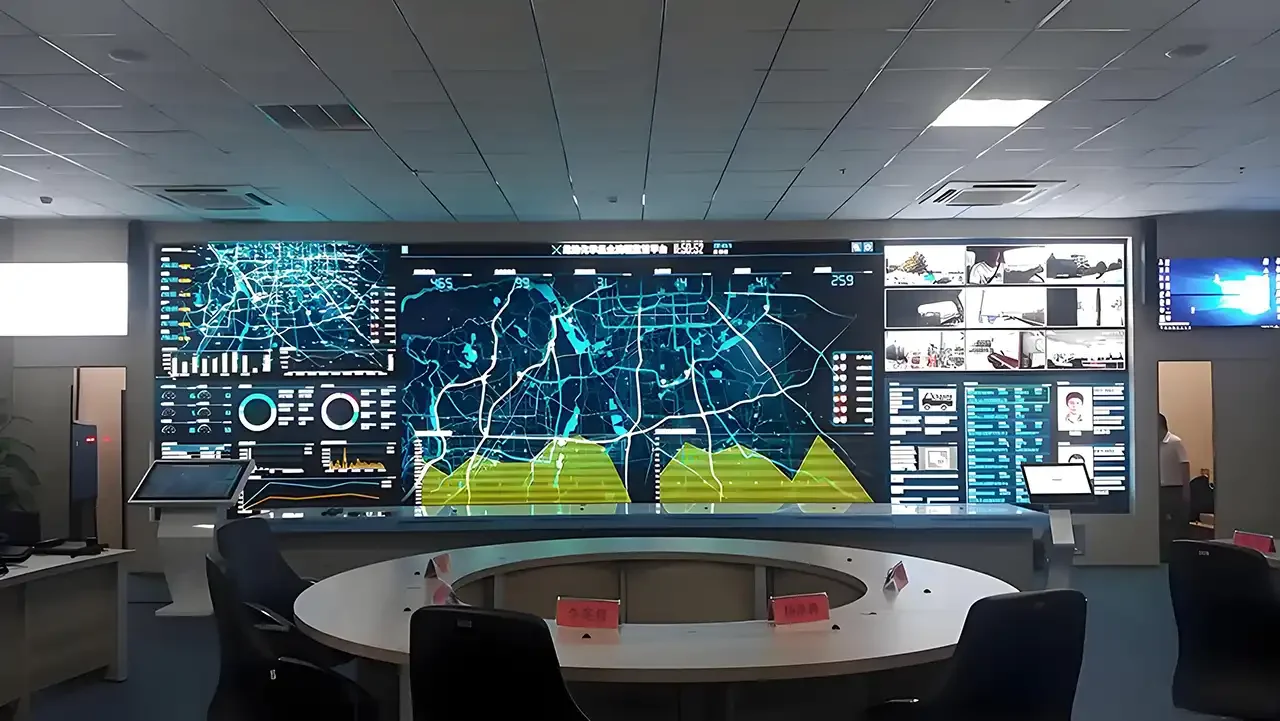
Support for landscape and portrait orientation, VESA mounting standards, and narrow bezel designs allows commercial LCD displays to be deployed in a wide range of layouts, including video walls and embedded installations.

Core Technologies Behind Commercial LCD Displays
Understanding the technologies that drive commercial LCD screens helps clarify why they perform reliably in professional environments.
LCD Panel Types
Commercial displays typically use IPS (In-Plane Switching) or VA (Vertical Alignment) panels.
IPS panels are valued for wide viewing angles and consistent color reproduction.
VA panels offer higher contrast ratios, making them suitable for environments where deep blacks and strong contrast are important.
LED Backlighting Systems
Modern commercial LCD displays use LED backlights rather than older fluorescent systems. LED backlighting improves energy efficiency, enables slimmer designs, and provides better brightness control.
Edge-lit and direct-lit configurations are both used, depending on size, brightness requirements, and cost considerations.
Brightness and Luminance Control
Brightness levels for commercial LCD displays commonly range from 350 to 700 nits, with high-brightness models exceeding 1,000 nits for window-facing or sunlit locations. Automatic brightness adjustment is often supported, allowing screens to adapt to ambient lighting conditions.
Signal Processing and Connectivity
Professional LCD displays support a wide range of input signals, including HDMI, DisplayPort, DVI, and sometimes SDI. Advanced signal processing ensures stable image scaling, noise reduction, and smooth playback across different content formats.
Commercial LCD Displays vs Consumer Televisions
Although consumer TVs may appear similar at first glance, their design priorities differ significantly from those of commercial LCD displays.
Consumer televisions are optimized for entertainment viewing in controlled home environments. They typically lack features required for continuous operation, centralized control, and commercial installation.
Commercial LCD displays, by contrast, are engineered for:
Longer daily usage
Higher thermal tolerance
Remote management capabilities
Professional mounting and integration
Predictable lifecycle performance
These differences make commercial displays a more dependable choice for business-critical applications.

Applications Across Business and Public Sectors
Commercial LCD displays are used across a broad range of industries, each with specific functional requirements.
Retail and Shopping Environments
In retail spaces, commercial LCD screens are used for digital signage, promotional messaging, product information, and brand storytelling. Strategically placed displays influence customer behavior and help guide purchasing decisions.
Corporate Offices and Meeting Spaces
Corporate environments rely on professional LCD displays for presentations, internal communications, dashboards, and collaboration. High-resolution screens support clear data visualization and professional meeting experiences.
Hospitality and Tourism
Hotels, resorts, and visitor centers use commercial LCD displays for wayfinding, event schedules, welcome messages, and digital menus. These screens help create a polished and informative guest experience.
Transportation and Infrastructure
Airports, train stations, and bus terminals depend on commercial LCD displays for real-time information such as schedules, platform changes, and service alerts. Reliability and clarity are essential in these settings.
Education and Training Facilities
Schools, universities, and training centers use LCD displays in classrooms, lecture halls, and common areas. Screens support instructional content, announcements, and interactive learning environments.
Healthcare and Medical Facilities
In healthcare settings, commercial LCD displays are used for patient information, wayfinding, queue management, and staff communication. Image stability and continuous operation are particularly important in these environments.
Design Considerations for Commercial LCD Display Deployment
Effective deployment requires careful consideration of physical, technical, and operational factors.
Screen Size and Viewing Distance
Screen size should be selected based on viewing distance and content type. Larger screens are better suited for open areas, while smaller displays work well for close-range information delivery.
Orientation and Layout
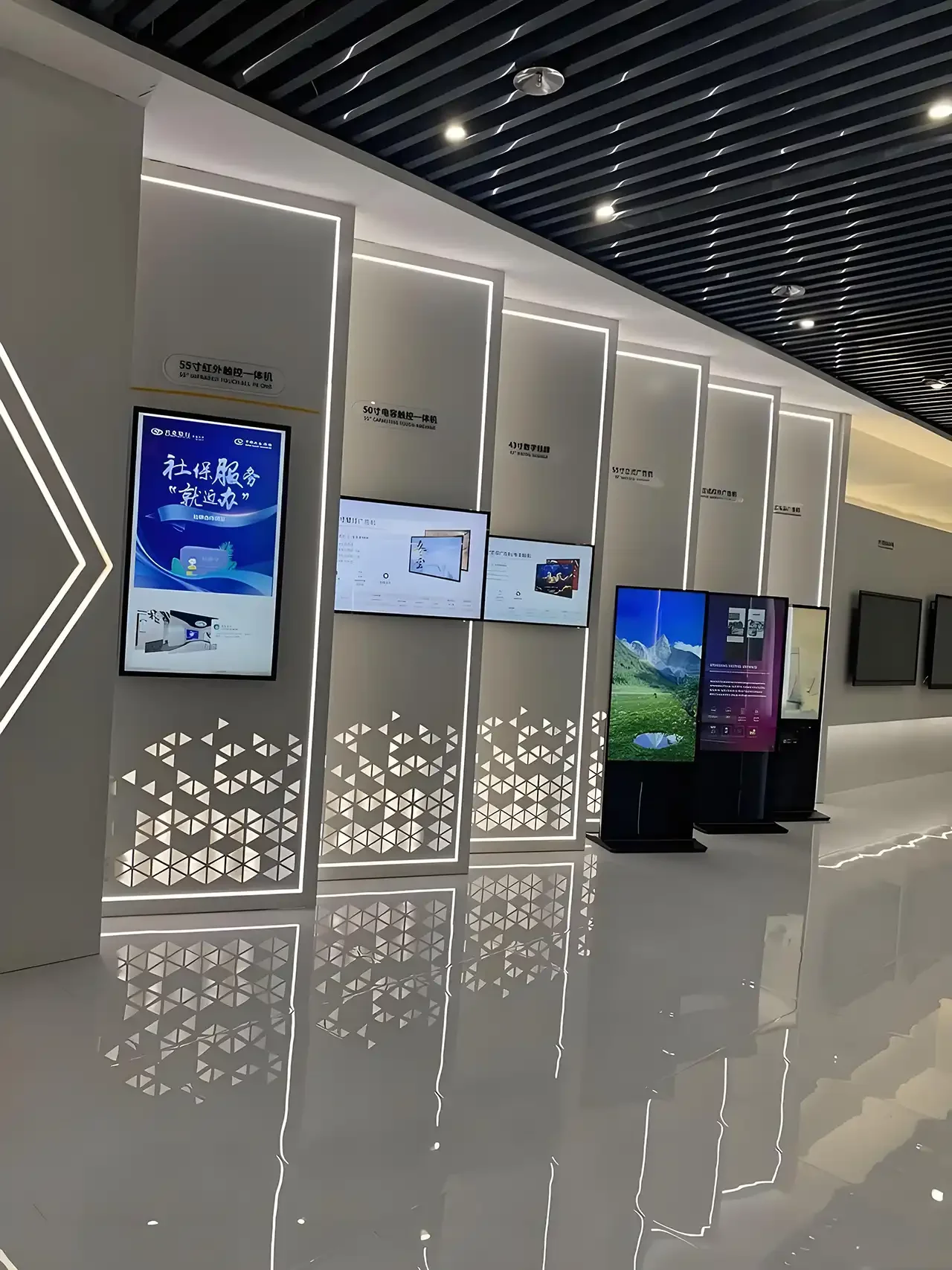
Portrait orientation is often used for directories and menus, while landscape orientation is preferred for presentations and video content. Narrow bezel designs support multi-screen video wall configurations.
Environmental Conditions
Ambient light, temperature, and potential exposure to dust or moisture influence display selection. High-brightness or enclosed displays may be required for challenging environments.
Content Strategy Alignment
Display hardware should support the intended content strategy, including resolution requirements, media formats, and update frequency. Smooth playback and accurate color reproduction are essential for professional presentation.
Installation and Integration Practices
Commercial LCD displays are typically integrated into larger systems rather than used as standalone devices.
Structural Mounting and Safety
Proper mounting hardware ensures stability and compliance with safety standards. Wall mounts, ceiling mounts, and floor stands are selected based on location and load requirements.
Power and Cable Management
Clean cable routing and stable power connections reduce visual clutter and minimize the risk of signal interruption. Commercial installations often use concealed wiring for a polished appearance.
System Configuration and Calibration
After installation, displays are configured and calibrated to ensure consistent brightness, color balance, and image alignment. Calibration helps maintain uniform appearance across multiple screens.
Network and Control Integration
Many commercial LCD displays support remote management through network connections. This allows centralized control of power status, input selection, and scheduling across multiple locations.
Maintenance and Operational Stability
Long-term performance depends on regular maintenance and monitoring.
Routine Inspection and Cleaning
Dust accumulation and fingerprints can affect image clarity. Periodic cleaning with appropriate materials helps preserve display quality.
Software and Firmware Updates
Keeping display firmware up to date improves compatibility, stability, and feature support. Updates are often managed centrally in large deployments.
Component Replacement and Serviceability
Commercial LCD displays are designed for serviceability. Modular components and standardized parts simplify repairs and reduce downtime.
Monitoring and Diagnostics
Advanced systems provide status monitoring, allowing issues to be identified before they impact operation. This proactive approach supports uninterrupted service.
Energy Efficiency and Cost Management
Energy consumption is a growing consideration for businesses operating multiple displays.
Power Consumption Optimization
Modern commercial LCD displays use efficient LED backlighting and power management systems. Features such as scheduled on/off cycles and brightness adjustment help reduce energy use.
Total Cost of Ownership
While initial investment may be higher than consumer alternatives, commercial displays often deliver lower total cost of ownership due to longer lifespan, reduced failure rates, and lower maintenance requirements.
Sustainability Considerations
Manufacturers increasingly focus on environmentally responsible materials and production processes. Energy-efficient displays contribute to broader sustainability goals.
Emerging Trends in Commercial LCD Display Technology
Commercial display technology continues to evolve alongside changing business needs.
Higher Resolution and Image Precision
4K resolution has become common in commercial displays, enabling sharper visuals and more detailed content presentation.
Interactive and Touch-Enabled Displays
Touch functionality supports interactive applications in retail, education, and corporate collaboration environments.
Integration with Data and Analytics
Displays are increasingly connected to data sources, enabling real-time dashboards, performance indicators, and dynamic information updates.
Slimmer Profiles and Aesthetic Integration
Thinner bezels and refined industrial design allow displays to blend seamlessly into modern architectural spaces.
Frequently Asked Questions About Commercial LCD Displays
What distinguishes a commercial LCD display from a regular television?
Commercial LCD displays are designed for longer operating hours, higher reliability, and professional installation, making them more suitable for business environments.
How long do commercial LCD displays typically last?
With proper operation and maintenance, many commercial displays provide reliable service for several years, often exceeding consumer-grade alternatives.
Are commercial LCD displays suitable for video walls?
Yes. Narrow bezel designs and consistent panel performance make them ideal for multi-screen video wall applications.
Can commercial LCD screens be controlled remotely?
Most professional displays support network-based control, allowing centralized management across multiple locations.
Do commercial LCD displays support portrait orientation?
Yes. Many models are designed for both portrait and landscape use without compromising panel performance.
Are high-brightness LCD displays necessary for all applications?
High-brightness models are recommended for areas with strong ambient light, while standard brightness displays are sufficient for controlled indoor environments.
Is professional calibration important?
Calibration ensures color and brightness consistency, especially in multi-display installations where uniform appearance is critical.
Conclusion
Commercial LCD displays have become a core component of modern business infrastructure. Their reliability, visual clarity, and adaptability make them suitable for a wide range of professional environments. When selected and deployed thoughtfully, these displays support communication goals, enhance user experiences, and deliver long-term operational value. As display technology continues to advance, commercial LCD screens remain a trusted and versatile solution for organizations seeking consistent, high-quality visual performance across their spaces.