

































Common Challenges When Using Rental Stage LED Screens and How to Overcome Them
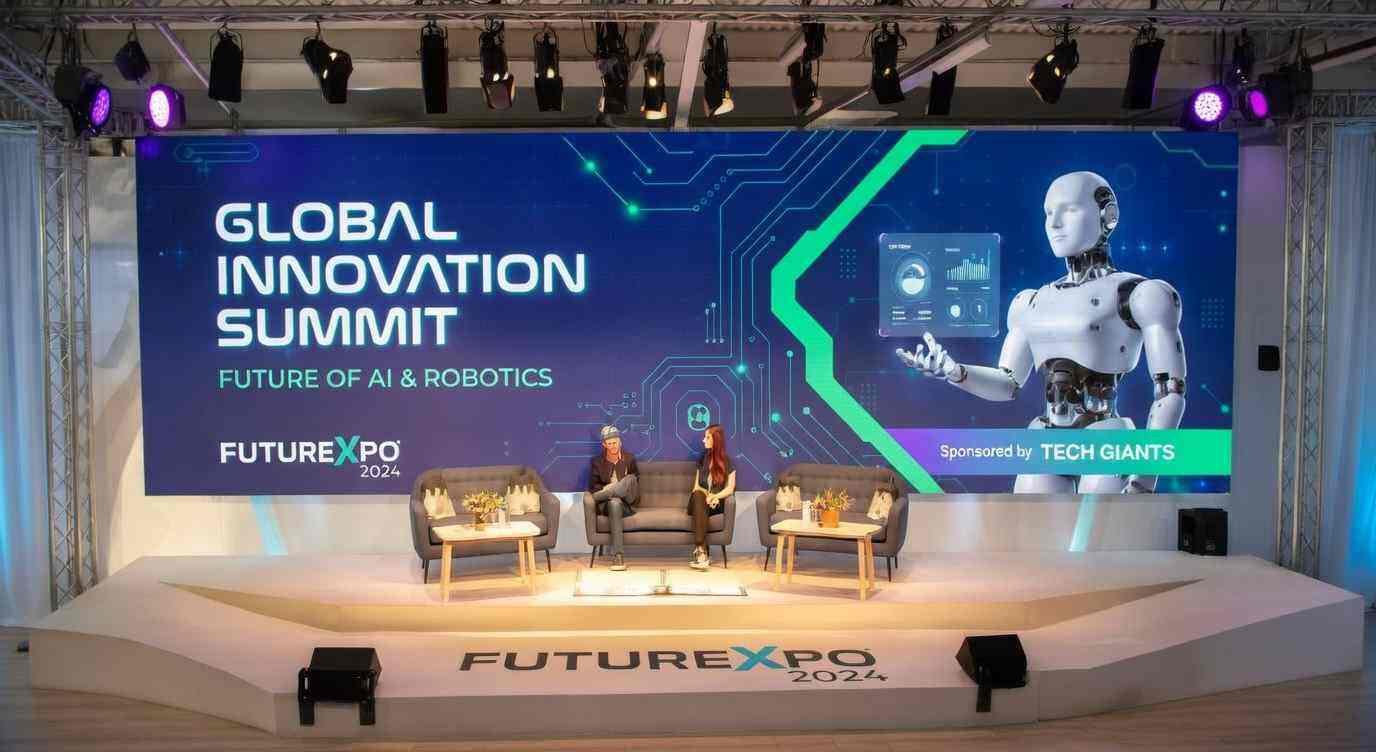
Rental stage LED screens have become an essential part of modern live production. From concert tours and music festivals to corporate conferences, product launches, worship events, sports ceremonies, and outdoor celebrations, LED displays help transform an ordinary stage into a powerful visual environment.
But anyone who has worked on a real event site knows one thing clearly: a rental LED screen is not just “plug and play.” Behind a clean, bright, seamless LED wall are careful planning, correct installation, stable power distribution, accurate signal routing, content preparation, calibration, weather protection, and an experienced technical team.
When these details are overlooked, problems can appear quickly — flickering panels, color differences, black modules, signal loss, overheating, power trips, or even structural safety risks. The good news is that most issues can be prevented or solved with a professional rental LED screen solution and a disciplined event workflow.
This article explores the most common challenges when using rental stage LED screens and explains how event organizers, AV rental companies, production managers, and technical teams can overcome them for stable, high-impact performances.
Choosing the Wrong LED Screen for the Event
One of the most common mistakes is selecting an LED screen based only on size or price. In reality, every stage environment requires a different technical configuration.
An indoor corporate conference, for example, may need a fine-pitch LED display with high grayscale performance and accurate color reproduction. An outdoor music festival needs higher brightness, waterproof protection, strong structural design, and reliable heat dissipation. A touring concert needs lightweight rental LED cabinets that can be assembled and dismantled quickly.
Common problems caused by wrong selection
Pixel pitch is too large for close viewing.
Brightness is too low for outdoor daylight use.
Cabinet weight is unsuitable for hanging or touring.
Refresh rate is too low for live camera shooting.
Screen structure does not match the stage design.
LED modules from different batches cause visible color differences.
How to overcome it
Before selecting a rental stage LED screen, define the event requirements clearly:
| Event Type | Recommended LED Solution |
|---|---|
| Indoor conference | Fine-pitch LED screen, usually P1.9–P2.9 |
| Concert stage backdrop | P2.6–P4.8 rental LED wall |
| Outdoor festival | High-brightness outdoor LED screen, P3.9–P6.25 |
| Touring production | Lightweight die-cast rental LED cabinet |
| LED floor or runway | Load-bearing interactive LED floor |
| Broadcast event | High refresh rate LED screen, usually 3,840Hz or above |
A professional supplier should help calculate viewing distance, screen size, pixel pitch, brightness, installation method, power load, and controller capacity before the project begins. This early planning prevents many technical issues later on site.
Unstable Power Distribution
Power problems are one of the biggest risks in live event LED display systems. A large rental LED wall can require significant electrical capacity, especially when displaying high-brightness white or fast-moving content.
If the power design is not calculated correctly, the screen may experience blackouts, flickering, voltage drops, overheating cables, or tripped breakers. In worst cases, it can affect not only the LED screen but also lighting, audio, and other stage systems.
Typical power-related issues
Circuit overload during high-brightness scenes.
Uneven power distribution across cabinets.
Loose power connectors after transport.
Insufficient grounding.
Voltage mismatch between regions, such as 110V and 220V.
Lack of backup power for critical signal processors.
How to overcome it
Power planning should be completed before installation. The technical team should calculate the maximum power consumption and leave a safety margin instead of using only the average power value.
Best practices include:
Use dedicated circuits for the LED screen system.
Separate LED power from audio and lighting power when possible.
Check regional voltage standards before international events.
Use professional power distribution boxes with overload protection.
Keep cable lengths reasonable to reduce voltage drop.
Inspect all connectors before powering on.
Provide UPS backup for processors, media servers, and control computers.
Test the screen with full-white content before the event to confirm load stability.
For large concerts or outdoor stages, dual power input or power redundancy is strongly recommended. Even if one power route fails, the screen can continue operating or recover quickly.
Signal Loss and Screen Flickering
Signal instability is another frequent challenge in rental stage LED screen projects. Since rental screens are often installed in large areas, signal transmission may involve LED processors, sending cards, receiving cards, network cables, fiber converters, media servers, switchers, cameras, and backup inputs.
If any link in the chain is unstable, the LED wall may flicker, freeze, show wrong colors, or display black sections.
Common causes
Poor-quality network cables or damaged fiber cables.
Incorrect cabinet mapping.
Loose signal connectors.
Controller output exceeds loading capacity.
Incorrect refresh rate or resolution settings.
Signal interference from lighting or power cables.
No backup signal path.
How to overcome it
A professional signal workflow should be designed before showtime.
Recommended practices:
Build a clear signal diagram
Mark the route from media server or video switcher to LED processor, then to each screen section.Use tested cables only
Rental environments are harsh. Cables are repeatedly pulled, coiled, stepped on, and transported. Every signal cable should be tested before dispatch.Avoid overloading processor ports
Each output port has a maximum pixel loading capacity. Exceeding it can cause instability or incorrect display.Use fiber transmission for long-distance runs
For large stages, outdoor festivals, stadiums, or control rooms far from the screen, fiber is more stable than long copper cable runs.Prepare backup signal input
A/B signal redundancy is highly valuable for live events. If the main input fails, the technician can switch quickly.Save the final screen configuration
After mapping and calibration, save the project file in the controller software and back it up on another computer or USB drive.
A rental LED screen should never depend on a single fragile signal path, especially for high-value events.
Color Inconsistency Between LED Cabinets
Color uniformity is one of the details that separates a professional stage LED display from a low-quality installation. Even when all cabinets are working, the screen may look poor if some panels are warmer, darker, greener, or brighter than others.
This problem is especially noticeable on large backgrounds, corporate brand colors, white slides, product videos, and camera close-ups.
Why color inconsistency happens
LED cabinets come from different production batches.
Some modules have longer usage hours than others.
Replacement modules are not calibrated.
Brightness and gamma settings are not unified.
Receiving card parameters are inconsistent.
Aging LEDs create visible color drift.
How to overcome it
Rental companies should manage LED cabinets by batch and calibration data. Before shipping to an event, panels should be tested together instead of only checked individually.
Professional solutions include:
Group cabinets from the same batch for one screen.
Use factory calibration files when replacing modules.
Perform brightness and chromaticity correction before installation.
Keep spare modules from the same batch.
Use grayscale test patterns to check uniformity.
Avoid mixing indoor and outdoor modules on the same screen.
Recalibrate frequently used rental screens after a fixed number of operating hours.
For corporate events, where brand color accuracy is important, calibration should be treated as a priority rather than a final cosmetic step.
Difficult Installation and Slow Setup
Rental LED screens are often used in events with tight schedules. The venue may only allow a few hours for setup, testing, rehearsal, and final adjustment. If the cabinet design or installation plan is inefficient, the entire production schedule may be delayed.
Common installation difficulties
Heavy cabinets slow down rigging.
Locks are difficult to align.
Uneven floor or truss structure affects screen flatness.
Cable routing is messy.
The screen size changes on site without recalculation.
Lack of clear installation drawings.
Crew members are unfamiliar with the product.
How to overcome it
A good rental stage LED solution should be designed for fast handling. Lightweight die-cast aluminum cabinets, quick-lock systems, magnetic modules, front and rear maintenance options, and clear positioning pins can greatly improve efficiency.
Before arriving on site, the team should prepare:
Cabinet layout drawing.
Rigging or stacking plan.
Power and signal routing diagram.
Spare parts list.
Crew responsibility list.
Tool checklist.
Safety inspection process.
During installation, technicians should first confirm the screen frame is level and secure. If the structure is not aligned, even high-quality LED panels will show gaps, uneven seams, or distorted images.
Structural Safety Risks
A rental LED wall is not only an electronic display; it is also a physical structure. On stages, LED screens may be flown from truss, stacked from the ground, curved around a stage, installed as side wings, or used as LED floors.
If the structure is not engineered properly, it can create serious safety risks for performers, staff, and audiences.
Common safety risks
Truss load capacity is not verified.
Hanging bars or locks are not fully secured.
Outdoor wind load is underestimated.
Ground support system is unstable.
LED floor panels are used without proper load rating.
Emergency access is blocked.
No secondary safety cable for suspended parts.
How to overcome it
Every rental LED screen project should follow a proper structural safety process:
Confirm cabinet weight and total screen weight.
Use certified rigging hardware.
Calculate wind load for outdoor installations.
Add ballast or support where required.
Use safety cables for hanging screens.
Keep maintenance access clear.
Inspect locks, bolts, and frames before powering on.
Assign a qualified rigger or structural engineer for large projects.
For outdoor concerts and festivals, weather monitoring is also part of safety management. If wind speed exceeds the safe limit of the structure, the screen may need to be lowered, reinforced, or shut down according to the event safety plan.
Outdoor Weather Challenges
Outdoor rental stage LED screens face harsher conditions than indoor displays. Rain, humidity, dust, sunlight, heat, wind, and temperature changes can all affect screen performance.
Typical outdoor problems
Water enters connectors or power boxes.
Screen brightness is not enough under sunlight.
LED modules overheat in hot weather.
Moisture causes short circuits after rain.
Dust affects ventilation.
Strong wind shakes the structure.
Low temperature affects power startup.
How to overcome it
Outdoor LED screens should use proper weather-resistant design. For most outdoor stage applications, IP65 front protection is commonly expected, along with sealed modules, waterproof power connectors, and corrosion-resistant cabinets.
Practical outdoor management includes:
Use outdoor-rated cabinets and cables.
Raise power distribution boxes off the ground.
Protect cable joints with waterproof covers.
Use drainage-friendly installation design.
Check cabinet ventilation and heat dissipation.
Adjust brightness based on sunlight conditions.
Prepare rain covers for control racks.
Keep spare receiving cards, power supplies, and modules on site.
After rainy events, panels should be dried, inspected, and tested before being packed away. This prevents moisture damage during storage and transportation.
Content Format and Resolution Problems
Sometimes the LED screen hardware works perfectly, but the displayed content still looks wrong. Images may appear stretched, cropped, blurry, delayed, or out of sync with audio and lighting.
This usually happens when the content production team and LED technical team do not communicate early enough.
Common content issues
Video resolution does not match the LED screen ratio.
Content is designed for 16:9, but the LED wall is ultra-wide or irregular.
Text is too small for viewing distance.
Low-bitrate video appears pixelated.
Colors are too dark under stage lighting.
Camera feed has delay.
Content is not tested on the real LED processor.
How to overcome it
The LED supplier should provide the exact screen resolution and aspect ratio before content is produced. For custom stage shapes, the content team may need a pixel map or template.
Best practices include:
Create content based on actual LED screen resolution.
Use safe zones for text and logos.
Avoid very thin lines that may flicker on camera.
Prepare test videos before the event.
Use high-bitrate video files for large screens.
Match frame rate between media server, processor, and cameras.
Test all sources during rehearsal, not minutes before showtime.
For complex shows, media servers such as Resolume, disguise, Watchout, or similar platforms can help manage multi-layer playback, mapping, and synchronization.
Camera Flicker and Broadcast Issues
For events with live streaming, TV broadcast, or IMAG camera feeds, LED screen performance must be camera-friendly. A screen that looks fine to the human eye may flicker or show scan lines on camera if refresh rate, shutter speed, or brightness settings are not aligned.
Common broadcast problems
Horizontal scan lines appear on video.
Moiré patterns occur in close-up shots.
Screen is too bright behind speakers.
White background causes camera exposure issues.
Colors look different on camera than on site.
Low refresh rate creates visible flicker.
How to overcome it
Choose a stage LED display with a high refresh rate, preferably 3,840Hz or higher for most professional events. For broadcast-heavy productions, higher refresh configurations may be necessary.
The production team should coordinate camera settings and LED settings together:
Match camera shutter speed with LED refresh behavior.
Adjust brightness to suit lens exposure.
Use test patterns during camera rehearsal.
Avoid fine striped content that creates moiré.
Keep enough distance between camera and LED wall.
Use suitable pixel pitch for the camera angle.
Adjust color temperature to match lighting design.
For corporate livestreams, reducing screen brightness and using slightly softer background content can make speakers look more natural on camera.
Lack of On-Site Spare Parts and Technical Support
Even the best rental LED screen system can experience unexpected issues during transport or operation. Without spare parts and trained technicians on site, a small fault can become a major event problem.
Common support gaps
No spare receiving card.
No replacement power supply.
No spare LED modules.
No backup controller.
No extra signal or power cables.
No technician familiar with controller software.
No emergency troubleshooting plan.
How to overcome it
A professional rental LED screen package should always include a spare parts kit. The size of the kit depends on the project scale, but it should normally include:
LED modules.
Power supplies.
Receiving cards.
Ribbon cables.
Network cables.
Power cables.
Controller backup files.
Basic tools.
Multimeter and cable tester.
Spare processor or backup signal path for major events.
For important shows, one LED technician should monitor the screen throughout the event. Their role is not just to repair faults, but to watch temperature, signal status, brightness, and content behavior in real time.
Poor Communication Between Event Teams
Many LED screen problems are not caused by hardware failure. They are caused by unclear communication between the organizer, stage designer, LED supplier, content team, lighting team, video team, and venue manager.
For example, the stage designer may change the screen shape without telling the content team. The video team may send the wrong resolution. The venue may provide insufficient power. The lighting team may place fixtures that block part of the LED wall.
How to overcome it
Clear communication is a technical requirement, not just a management habit.
Before the event, confirm:
Final screen size and position.
Pixel pitch and screen resolution.
Installation method.
Power requirements.
Signal input format.
Content format and deadline.
Camera and livestream requirements.
Weather and safety plan.
Rehearsal schedule.
Emergency contact list.
A simple pre-production checklist can prevent expensive mistakes on site.
Transportation and Handling Damage
Rental LED cabinets are repeatedly transported, loaded, unloaded, stacked, hung, dismantled, and packed again. Physical damage during transport is a major reason for module failure and cabinet deformation.
Common transport damage
Broken corner LEDs.
Bent cabinet frames.
Damaged locks.
Loose internal cables.
Scratched masks.
Moisture trapped in flight cases.
Mixed cabinets from different batches.
How to overcome it
Use professional flight cases with shock protection, fixed cabinet slots, and moisture control. Train crews to handle LED panels by the frame instead of grabbing modules or masks.
Good rental fleet management includes:
Inspect cabinets before and after every event.
Record damaged panels immediately.
Keep cabinets dry before storage.
Do not pack wet outdoor panels directly into sealed cases.
Use corner protectors.
Label each cabinet clearly.
Store panels by batch and calibration group.
A rental LED screen is a long-term asset. Proper handling protects both performance and return on investment.
Professional Solution: Building a Reliable Rental Stage LED Workflow
To overcome these challenges, rental stage LED projects should follow a complete workflow instead of reacting to problems one by one.
Before the event
Confirm screen size, pixel pitch, and application environment.
Calculate power load and controller capacity.
Prepare structural drawings.
Test all cabinets, modules, cables, and processors.
Prepare content templates and resolution map.
Pack spare parts and backup equipment.
During installation
Check structure level and safety.
Install cabinets according to layout.
Connect power by zones.
Route signal cables clearly.
Upload correct configuration files.
Run test patterns.
Adjust brightness, color, and grayscale.
Save final settings.
During the event
Monitor signal status.
Watch temperature and voltage.
Keep technician on standby.
Maintain communication with video and stage teams.
Prepare backup input switching.
Avoid unnecessary setting changes during performance.
After the event
Power down correctly.
Inspect physical damage.
Dry and clean outdoor panels.
Record fault logs.
Update maintenance records.
Store cabinets by batch and condition.
This workflow turns rental LED screen operation from a high-risk task into a controlled professional process.